The CADO Classifieds - Classifieds for Insurance Claim Adjusters
 

Do you need adjusters? Have a product or provide a service for adjusters? Do you provide training, certification or licensing or adjusters? Do you have upcoming industry related event? Would you like to promote your business? Looking for work? If you answer yes to any of these questions, then you have come to the right place! Our Classifieds provides a wide variety of general categories to place your classified ads under so just login and post your ad. 


SAMMLO

SAMMLO

SAMMLO

Assignments, inspections, photographs, estimates, and reports.

Why manage them across multiple programs when they can work together?

SAMMLO connects the entire process, from initial assignment to final report, within one integrated platform.


Take your work into the field, even in CAT environments where cellular service is unavailable. Capture, organize, and preserve your findings, then turn that information into complete documentation and professional reports without duplicating work or tracking down information.


Built for adjusters, engineers, and contractors who demand more from the tools they use.


One platform. One connected workflow. A better way to work.

Discover SAMMLO.

CompanyKTG Property Solutions, Inc.
Contact NameTimothy Cooprider
Emailtimcooprider@gmail.com
Phone5617562145
Web Site:office.ktgproperty.com/

Classifieds Notice

If you wish to post ads you must login with a user account you created on CatAdjuster.ORG and use the application on this page.

Ads can be posted for free during the current trial\testing period.

If you have any feedback please use the "Contact Us" page to provide it.

To Post an Ad just Login and use the "Add article" link that you will see to the left at the top of the current ads.  The image below is what you will see.

Add Article (post an ad)

Once you complete the ad and are ready for it to be published be sure to click the "Request for approve" at the bottom of the form.  See the image below.

To Update a Live Ad or Repost an expired ad just login and click on the "Article manager" and edit the ad you wish to repost and click the "Request for approve" button which at the bottom of the form.  Here is what to look for.
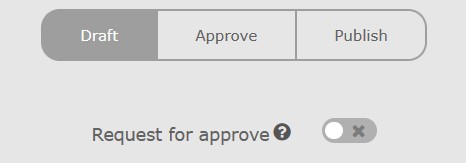
Request for approve

You can add your logo or other photos to your ad with this application by using gallery that you will see on the page while adding your ad.  

When posting an ad you should mouseover the Question Icon connected to the field for additional information on the field. 

All ads posted will require approval before they are viewable the approval also applies to edits or updates to the ads.